


In the previous article, we looked at the 6 types of content every WordPress product business should be publishing.
But creating useful content is only half the equation. The next question is just as important: how do the right people actually find it?
This is where SEO comes in.
At its core, search engine optimization is about connecting your content with people actively looking for answers, whether they’re just discovering a problem, comparing different solutions, or ready to choose a WordPress plugin or theme.
Someone searching “how to speed up a WordPress site” has different needs than someone searching “best WordPress caching plugin”, and your content should reflect those different stages of the buyer’s journey.
SEO isn’t a magic bullet, nor should it be your only marketing channel. Instead, it’s one part of a broader growth system that includes content, email, product improvements, and customer education.
In this guide, we’ll focus on using SEO strategically to attract the right audience.
Think Like a Customer
One of the biggest mistakes WordPress product owners make is writing for the way they describe their product rather than the way customers describe their problems.
As the creator, you’re naturally focused on features and technical terminology. Your potential customers, however, are usually searching for a task they want to accomplish.
They don’t wake up thinking, “I need a conditional logic extension”. They search for things like: “how to create conditional forms in WordPress”. Similarly, instead of looking for a “WooCommerce product filter plugin” they might search: “how to filter WooCommerce products by category”.
This difference is what search intent is all about. Good SEO starts by understanding why someone is searching in the first place. Are they trying to solve a problem or are they trying to learn something new? Are they at the stage where they’re comparing options or deciding which plugin to buy?
The best keyword ideas often come from listening to customers rather than staring at a keyword research tool. Look at support tickets, pre-sales questions, Facebook groups, Reddit discussions, YouTube comments, and WordPress forums.
The language people use there is often the same language they type into Google. In other words, effective SEO begins with customer research, not keyword research.
Understand the Different Types of Search Intent
Not every search has the same goal. Understanding why someone is searching helps you create content that matches their intent and supports them at each stage of their buying journey.
Informational
Informational searches come from people who want to learn rather than buy immediately.
They may be researching a problem, exploring different approaches, or trying to complete a task. Searches like “how to speed up WordPress”, “best image optimization plugin”, or “how to build a membership site” fit this category.
Educational blog posts, tutorials, and guides work well here because they build trust, demonstrate expertise, and introduce your brand before a purchase decision is made.
Commercial Investigation
Commercial investigation searches come from people who know they need a solution but are still evaluating their options.
They might search for “best WordPress backup plugin”, “Elementor vs Gutenberg”, or “WP Rocket alternatives”. This is the ideal stage for comparison articles, buyer’s guides, and feature breakdowns that help readers make informed decisions.
Rather than pushing for a sale, focus on explaining trade-offs honestly and showing where your product is the right fit.
Transactional
Transactional searches indicate that someone is ready to take action.
They’re looking for a specific product or are close to making a purchase, using searches such as “buy WooCommerce booking plugin” or “download events calendar plugin”. Your product pages should be designed to serve this intent by clearly explaining what the product does, who it’s for, its key features, pricing, and supporting resources.
At this stage, clarity and trust matter far more than clever marketing copy.
Navigational
Navigational searches happen when someone is looking for a specific brand, product, or website they already know about.
They might search for your company name, a plugin’s name, or a branded feature instead of typing in your URL. While these searches don’t usually introduce new customers, they reflect growing brand awareness.
A healthy SEO strategy supports all stages of the customer journey, helping people discover you, evaluate your solution, and easily find you again when they’re ready.
Build Content Around Topics
Many businesses approach SEO by chasing individual keywords and publishing disconnected blog posts. This tactic can generate occasional traffic, but it rarely ever creates lasting authority or predictable growth.
A more effective approach is to build content around a topic your business wants to be known for. This is often referred to as topical authority, the idea that consistently publishing high-quality content on a subject helps both users and search engines recognize your site as a trusted resource.
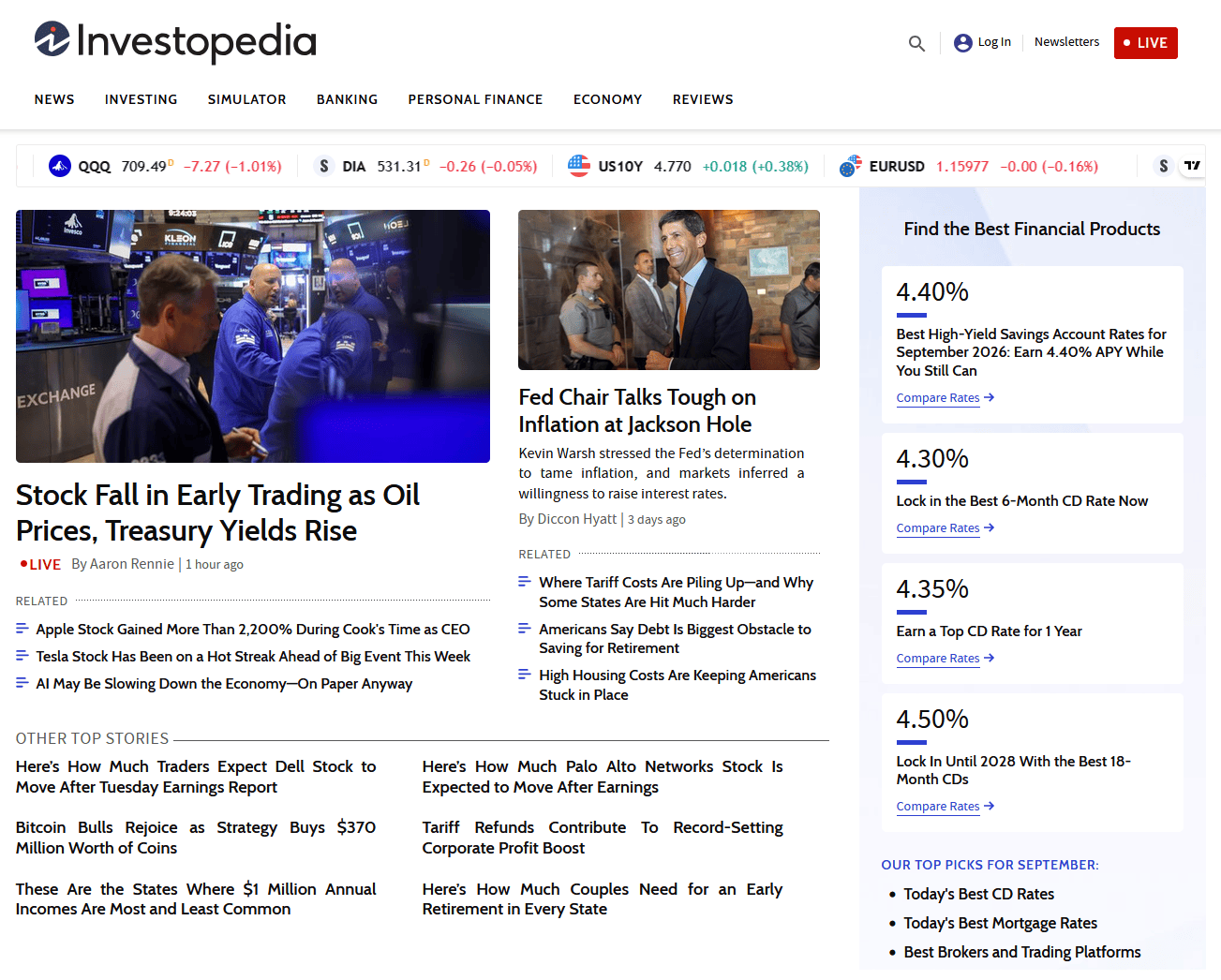
Think about a site like Investopedia. It doesn’t rank because they’ve published one excellent article on investing. The reason why it ranks is because it has thousands of well-organized resources covering nearly every aspect of personal finance.
The same principle applies to WordPress products. If you sell a WooCommerce checkout plugin, don’t stop at writing “How to Start an Online Store”. Build a collection of related articles covering payment gateways, product pages, checkout optimization, cart abandonment, shipping, email marketing, and analytics. Each piece should naturally link to the others while highlighting where your product fits.
This also reinforces the content strategy discussed in the previous article. Instead of publishing random posts, you’re building a library of resources that compounds in value over time.
Use Your Product Pages as SEO Assets
Many WordPress businesses use their product pages as a place to list features, display pricing, and add a Buy Now button. Here’s the thing: these pages are some of your most valuable SEO assets because they serve visitors who are actively evaluating solutions.
A strong product page should answer the questions a prospective customer is likely to have before making a purchase. Here are some examples:
- Who is the product designed for?
- What problems does it solve?
- How does it work in real-world situations?
You should include clear feature descriptions, screenshots or videos, use cases, FAQs, links to documentation, and compatibility information where relevant. The more complete the page, the more useful it becomes for both users and search engines.
It’s also important to naturally incorporate the phrases your audience actually searches for. If people search for “WooCommerce checkout customization”, that language should appear where it makes sense instead of relying solely on internal product terminology/jargon.
Documentation Can Bring Qualified Traffic
Documentation is often viewed as a support resource, but it can also become one of the most valuable parts of your SEO strategy. Every help article is an opportunity to answer a real question that someone is already searching for.

Think about the kinds of queries WordPress users make every day: “how to import Elementor templates”, “WooCommerce webhook setup”, or “Gravity Forms conditional logic”. Well-written documentation that addresses these topics can rank in search results and attract visitors who are actively working with the type of functionality your product provides.
Public documentation offers benefits beyond search visibility. It reduces repetitive support requests, gives prospective customers confidence that your product is well maintained, and demonstrates the depth of your expertise. Someone evaluating two similar plugins is more likely to trust the one with clear, comprehensive documentation.
Whenever possible, make your documentation publicly accessible rather than hiding it behind a customer login. While some advanced resources may be reserved for paying users, keeping core documentation open allows search engines to index it and helps potential customers experience your product before they commit.
Comparison Pages Help Buyers Make Decisions
By the time many potential customers reach your website, they’ve already narrowed their options. They’re comparing plugins, weighing different approaches, and looking for reassurance before making a purchase. This is where comparison pages can be especially effective.
Useful comparison content might include articles like Plugin A vs. Plugin B, Free vs. Pro, Elementor vs. Bricks compatibility, or Why use a plugin instead of custom code?. These pages address the questions buyers naturally ask during the evaluation stage and help them make informed decisions.
The key is to be balanced and honest. Avoid attacking competitors or claiming your product is the best in every situation. Instead, acknowledge where other solutions perform well while clearly explaining your product’s strengths, limitations, and ideal use cases.
That approach builds trust, and trust often matters more than persuasive copy. It also attracts highly qualified visitors because comparison searches usually come from people who are much closer to making a purchasing decision.
Internal Linking Helps Both Users and Search Engines
In addition to publishing helpful content, you also need to help visitors discover the rest of your resources. And that’s where internal linking comes in.
Imagine someone lands on a blog post about improving WooCommerce checkout performance. From there, you can guide them to a related tutorial, relevant documentation, your product page, a live demo, and ultimately your pricing page. Each link helps the reader take the next logical step instead of leaving your site after reading a single article.
This creates a better experience for users while also helping search engines understand how your content is connected. Articles that cover related topics reinforce one another, making it easier for search engines to recognize the depth of your expertise (i.e. strengthening your topical authority).
When planning new content, don’t think of each page as a standalone asset. Think of your website as a connected library where every article, guide, documentation page, and product page supports the others. The stronger those connections, the more valuable your entire site becomes.
SEO Is a Long-Term Marketing Asset
Unlike launch campaigns or paid advertising, SEO compounds over time. A single helpful article can continue attracting qualified visitors months or even years after it’s published. As it earns visibility, it can bring in traffic, attract backlinks, support your product pages, and introduce new customers to your business.
The key is consistency, not volume. Publishing one genuinely useful article every few weeks will almost always outperform churning out dozens of low-value posts.
Most importantly, SEO works best as part of a larger marketing system. Your content attracts visitors, your product pages convert them, your email list builds ongoing relationships, and your product improvements keep customers engaged. Together, these efforts create a growth engine that’s far more sustainable than relying on marketplace traffic or the occasional product launch.
Conclusion
SEO is about creating useful resources that answer the questions your potential customers are already asking and making it easier for them to discover your business.
As a WordPress product owner, you already have a significant advantage: deep knowledge of the problems your customers face. By turning that expertise into blog posts, product pages, documentation, comparison articles, and tutorials, you build assets that continue generating qualified traffic long after they’re published.
Like everything we’ve covered in this series, SEO is most effective when it’s part of a broader marketing system. Combined with consistent content, email marketing, customer education, and ongoing product improvements, it helps create predictable, long-term growth that’s built on an audience you own, not a marketplace you depend on.


Leave A Comment